
Write your App Store page in every language
Generate store text for each language from your brief and keyword research, edit it next to a store preview, and send it to App Store Connect when you approve it.
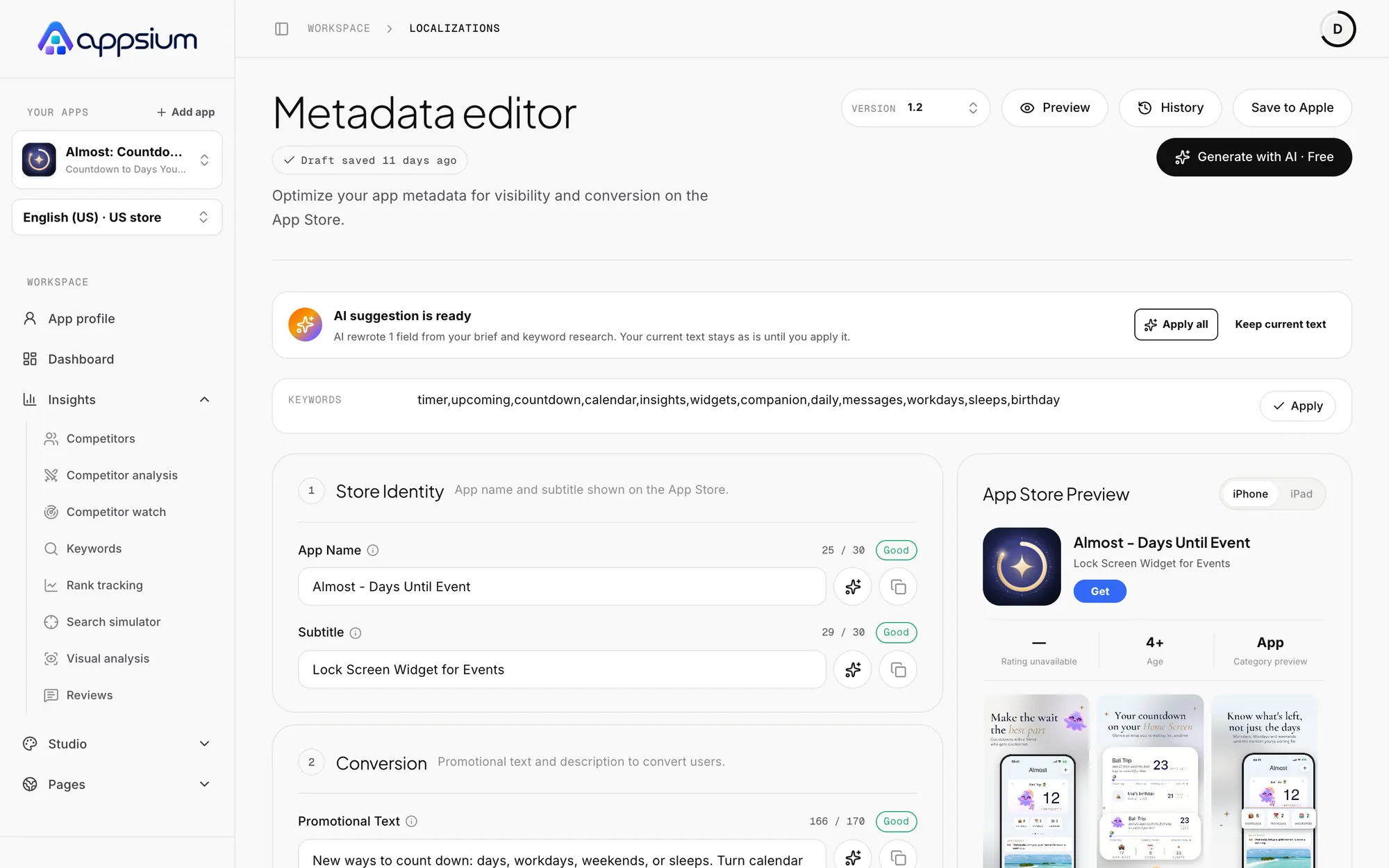
Apple's limits are built in
Every field counts as you type and flags problems before Apple does. Rewrite a single field with AI, and watch the store preview change beside it.
- Character and byte counts per field
- One-field AI rewrites
- Store preview for iPhone and iPad
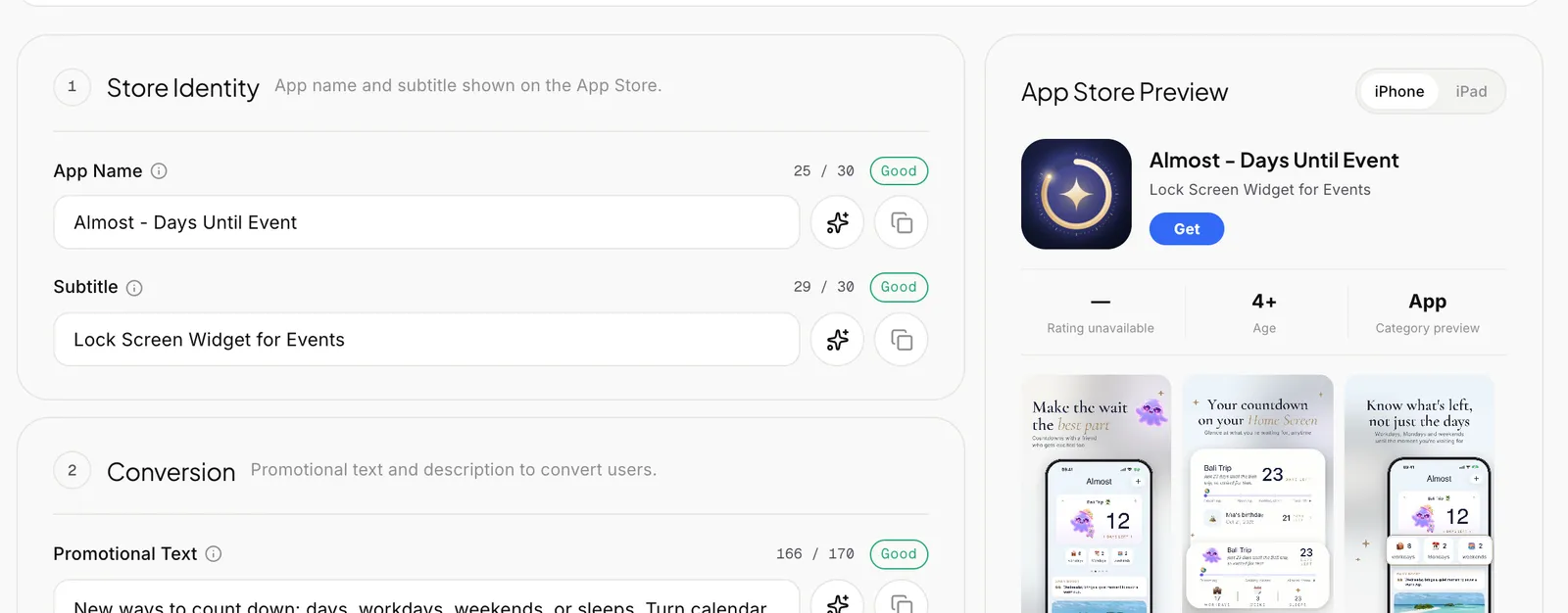
Suggestions you stay in control of
AI proposals appear above your text and change nothing until you apply them. Your current words stay as they are if you prefer them.
- Apply all, or one field at a time
- Built from your brief and keyword research
- Version history to go back
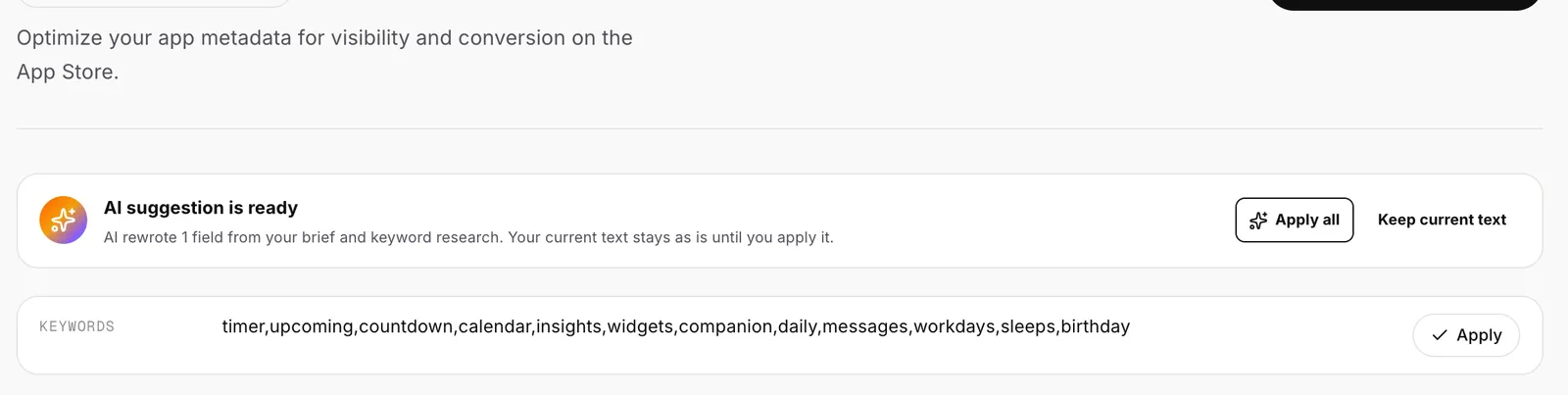
Written for each market
Each language gets its own research-backed keywords and copy, not a word-for-word translation of English. Switch language in the sidebar and the whole workspace follows.
- One language selected for the whole workspace
- Keywords chosen per market
- Unlimited languages on Pro and Studio
Frequently asked questions
Do you overwrite my App Store listing?
No. Nothing goes to Apple until you press Save to Apple. Drafts stay in Appsium.
How is my App Store Connect key protected?
Keys are stored with envelope encryption using Google Cloud KMS and are only decrypted on our servers when you ask Appsium to talk to Apple. You can remove a key at any time.
How many languages can I use?
1 per app on Free. Pro and Studio have no language limit.
Do I need App Store Connect?
No. You can prepare everything and copy it by hand. Connect it when you want to pull live text or push changes.
Open your app to the next market.
Generate your first language and see it in a real store preview.
Works with
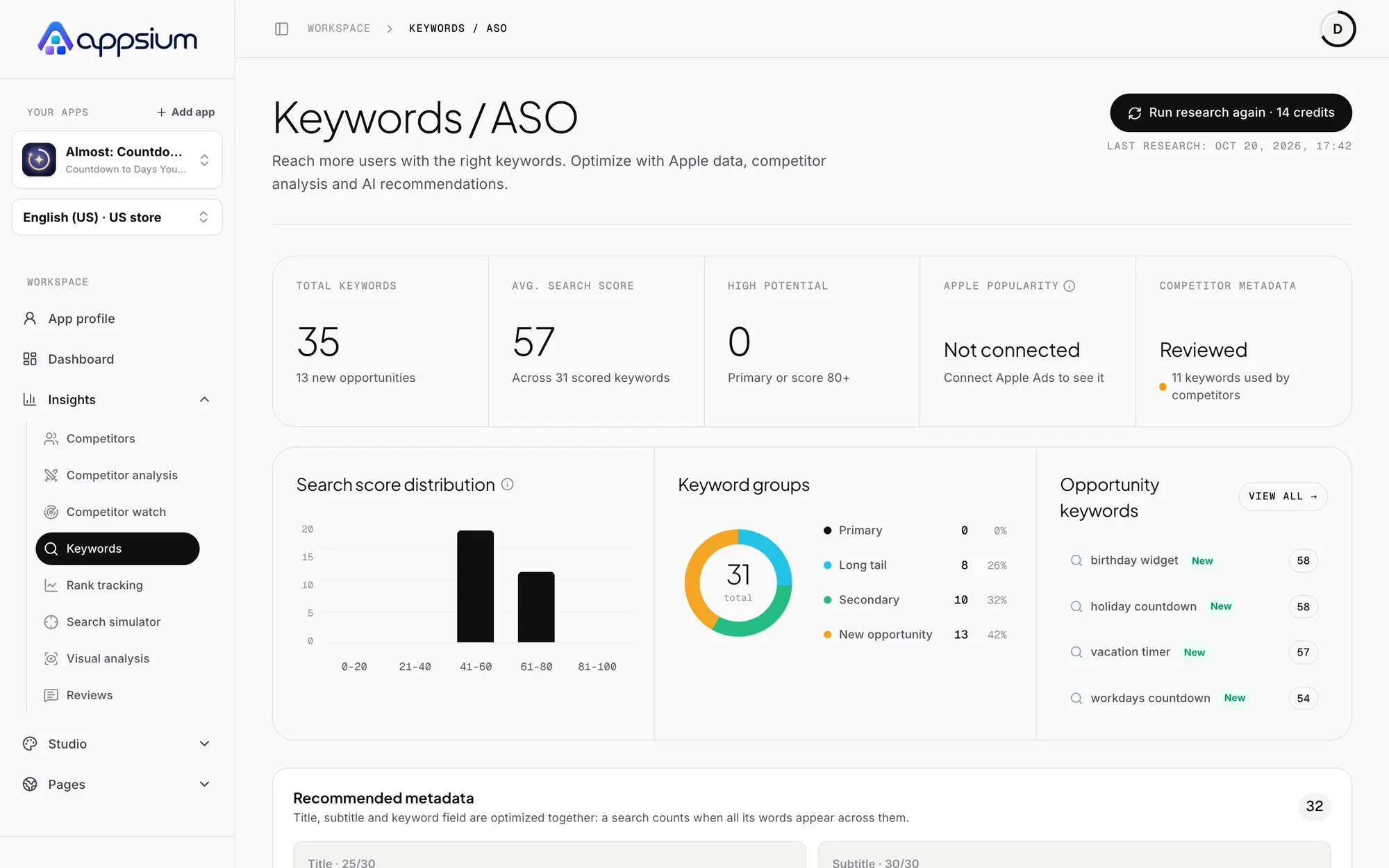
Keyword research
Search demand, difficulty and relevance for every keyword, turned into a title, subtitle and keyword field.
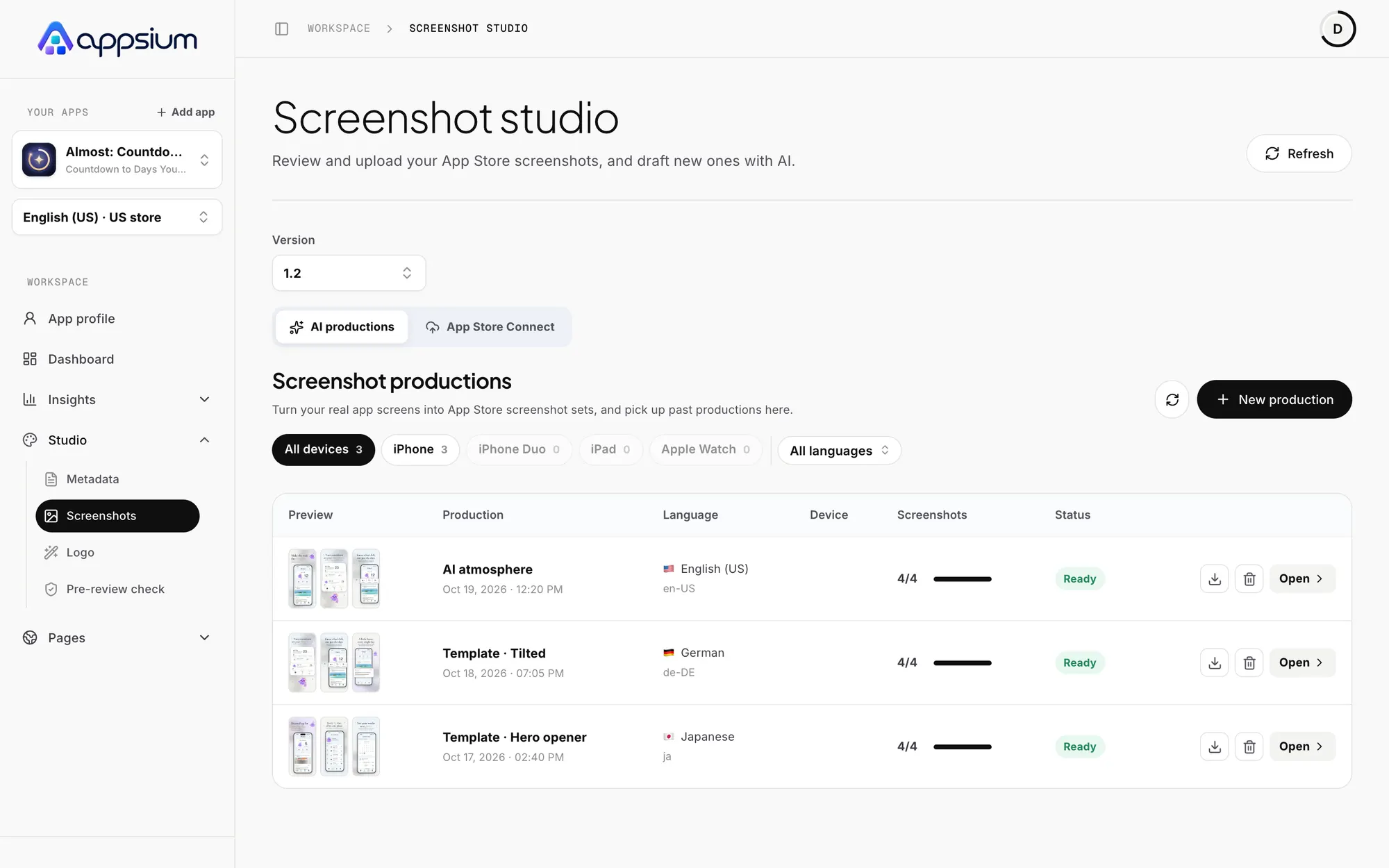
Screenshot studio
AI campaigns or a 3D editor, for every Apple device, localized and uploaded to App Store Connect.
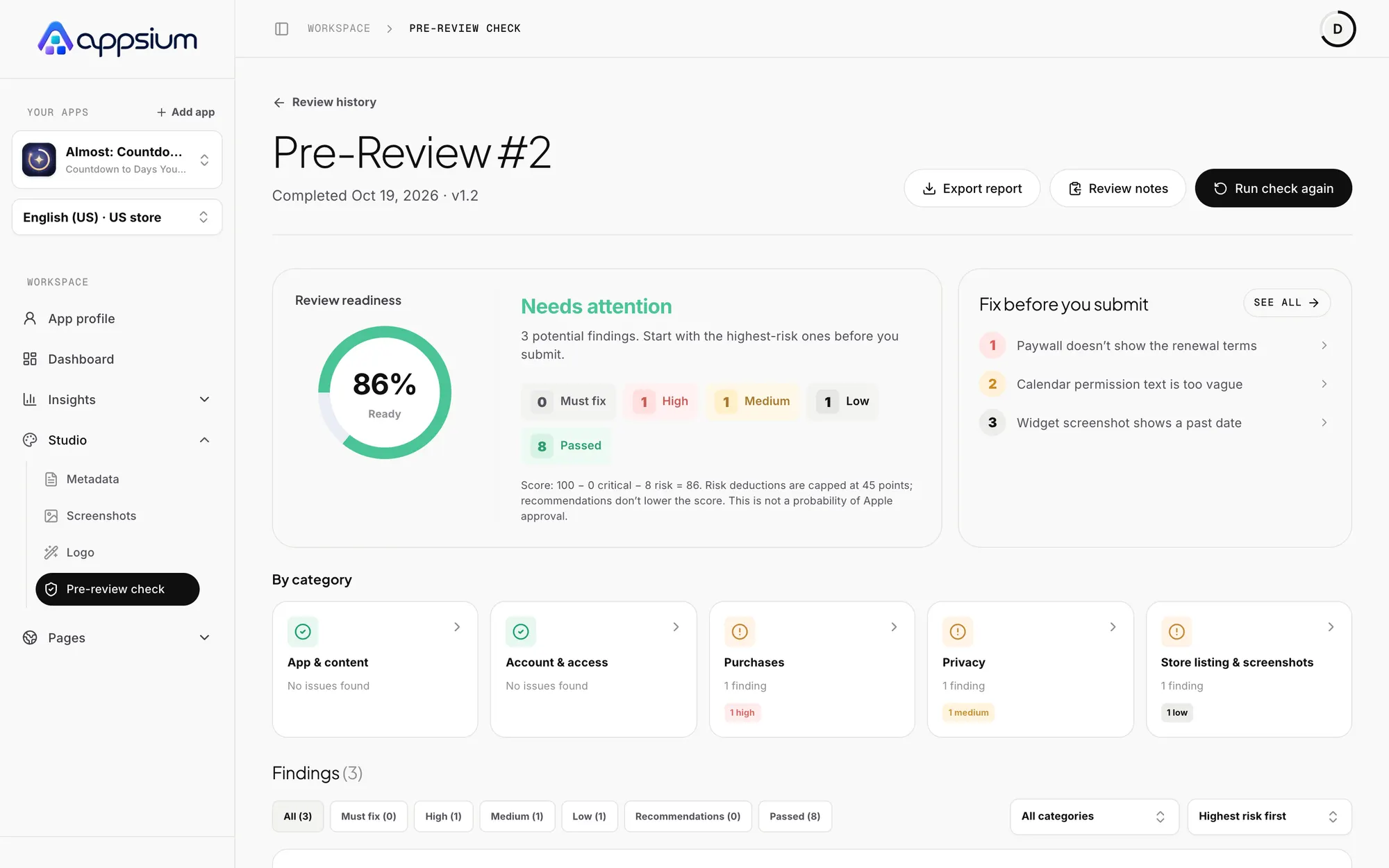
Pre-Review Check
Find App Review rejection risks before you submit, with the exact fix for each one.
Learn the craft

App Store localization: rank in more countries
Localize App Store metadata and screenshots to rank and convert in more storefronts: which locales each country uses, keyword strategy and a workflow.

How to write an App Store title and subtitle that rank and convert
Write a 30-character App Store name and subtitle that rank and convert: the brand + keyword pattern, examples by category and the mistakes that cost downloads.

How to use the App Store keyword field (all 100 characters of it)
Format, rules and strategy for the App Store keyword field: commas without spaces, plurals, no repeats, no trademarks, and how words combine across fields.