
Read, answer and learn from your App Store reviews
Every review in one inbox, a draft reply in the reviewer's language, and a clear view of what people keep asking for. Nothing is ever sent without you.
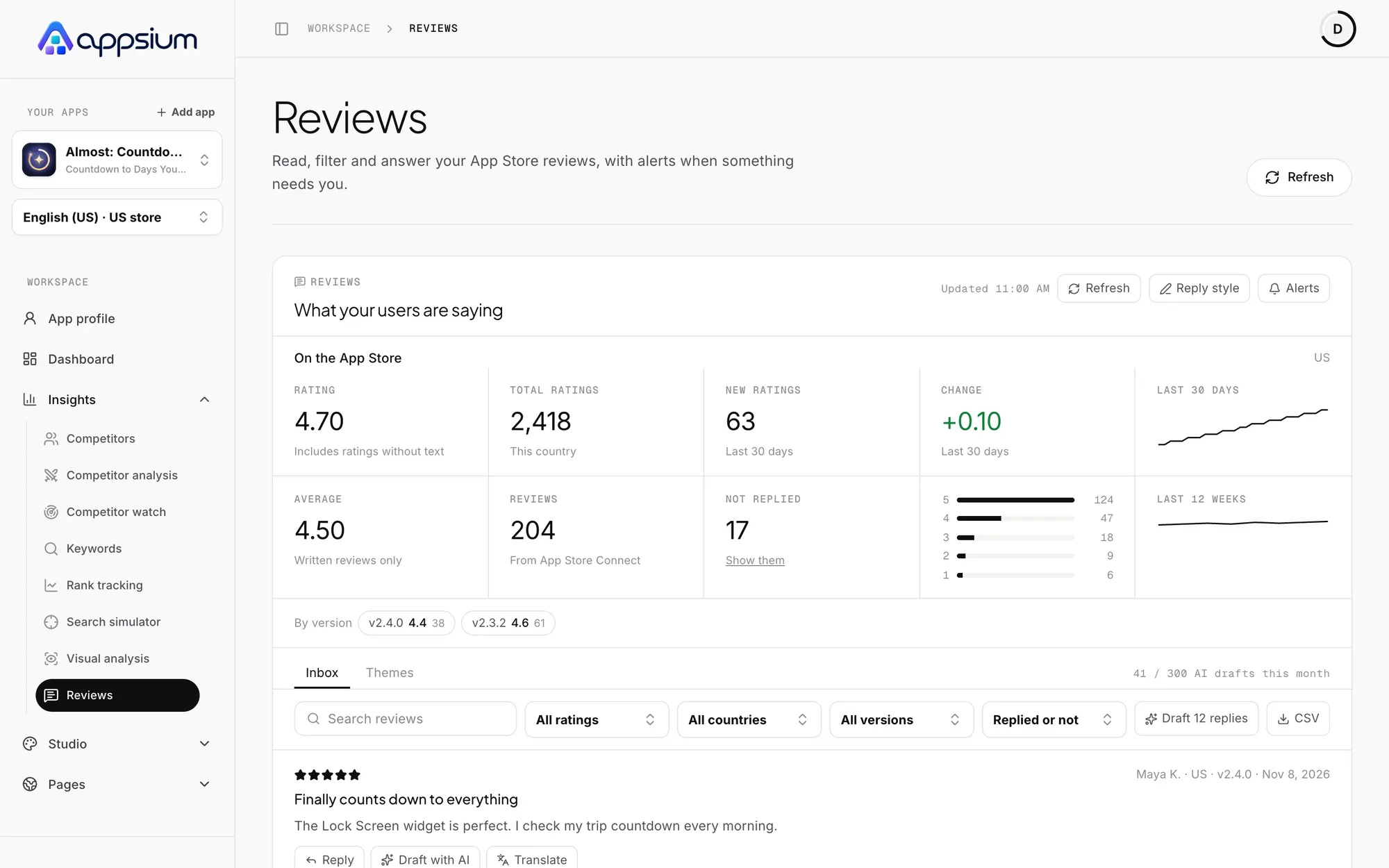
Reply in their language
AI drafts a reply in the language of the review, in your tone and with your signature. You read it, edit it and send it.
- Draft one reply or a whole batch
- One-click translation of any review
- Saved templates and a reply style
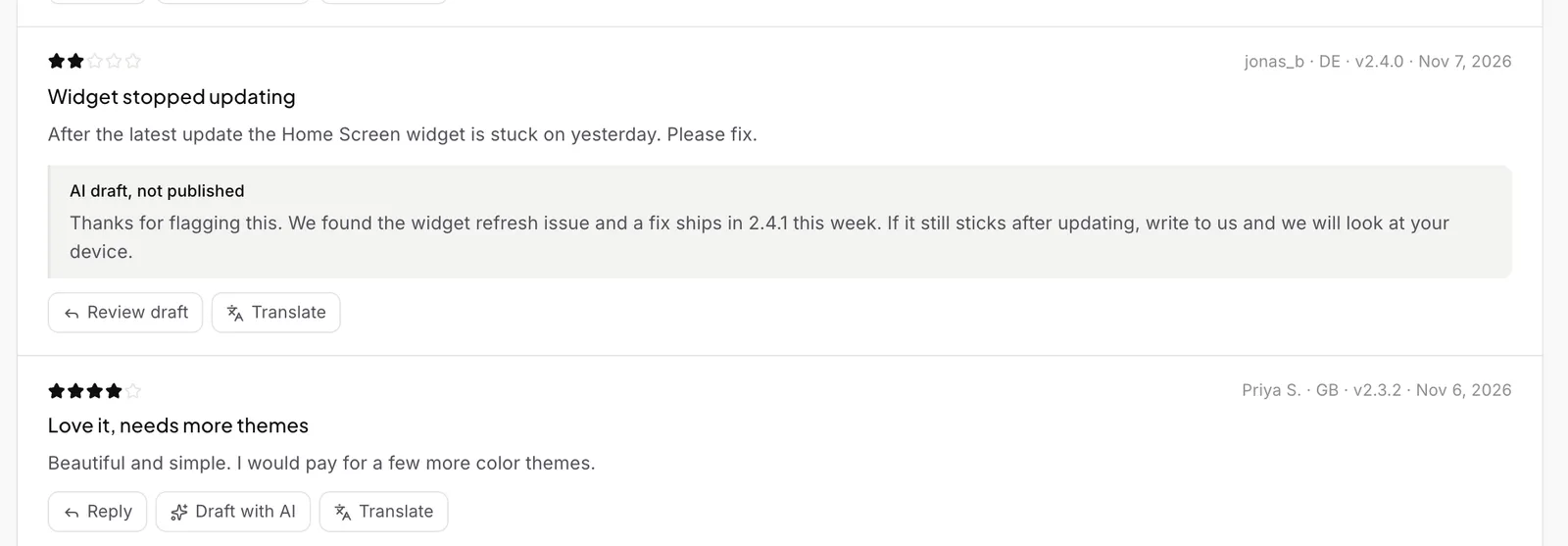
See what people keep saying
Themes group your reviews into complaints, requests and praise, with how many people said it and on which version. Tick what you shipped and Appsium drafts your What's New.
- Complaints, requests and praise
- The exact phrases your users use
- Feeds your metadata and screenshot copy
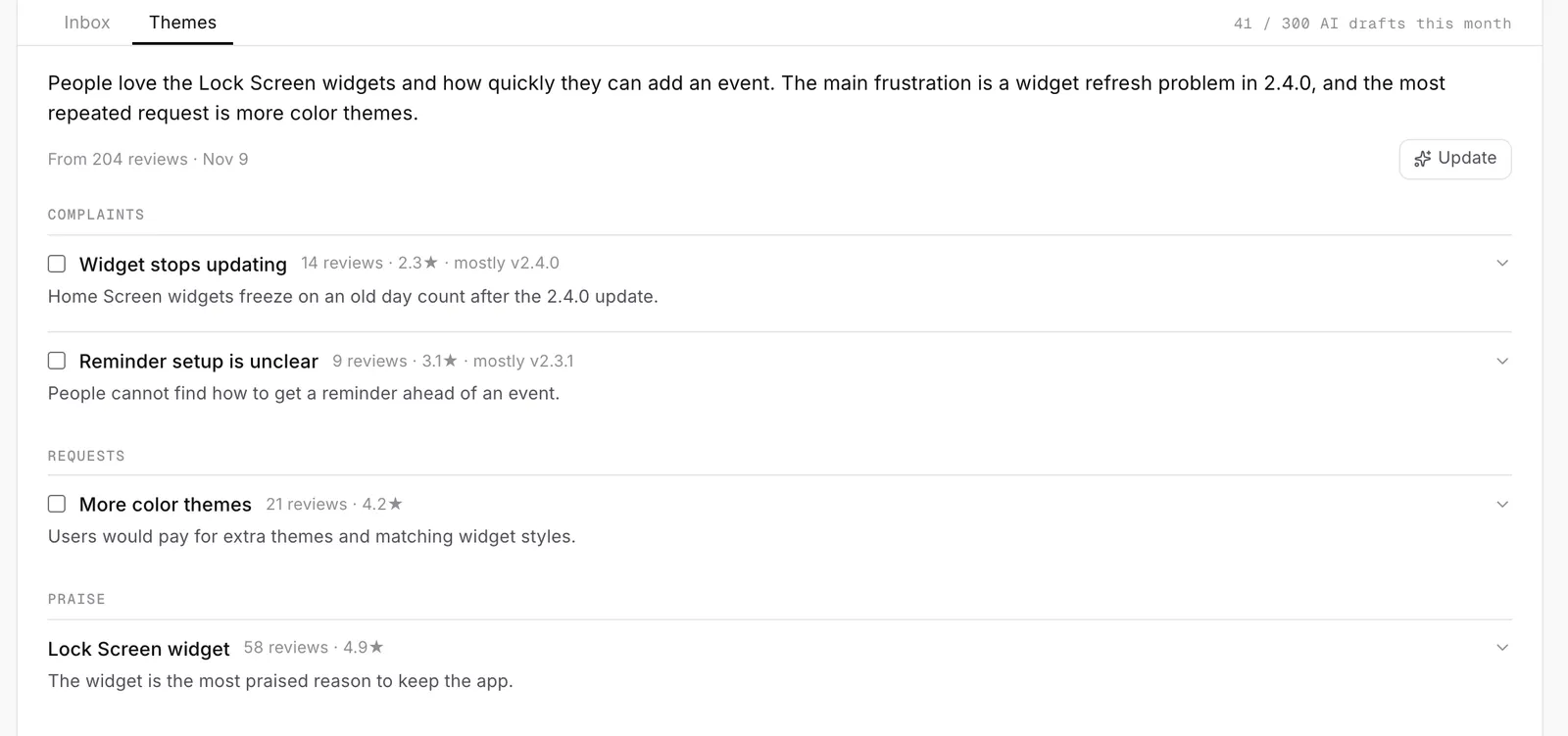
Know when ratings move
Track your App Store rating per country, including people who rate without writing, and get an alert when something needs you.
- Email and Slack alerts, or a digest
- Filter by rating, country and version
- Export to CSV
Frequently asked questions
Will Appsium reply on its own?
Never. AI writes a draft and you decide whether it goes out.
Do reviews use credits?
No. The inbox and alerts are included. AI drafts have a monthly limit: 10 on Free, 300 on Pro and 1,500 on Studio.
Do I need App Store Connect?
To reply, yes. Without a connection you can still read recent public reviews.
Why do star-only ratings not appear in the inbox?
Apple only shares them as a total per country. Appsium records that total once a day and shows it beside your written reviews.
Your users are already telling you what to fix.
Connect your app and see your reviews, sorted and ready to answer.
Works with
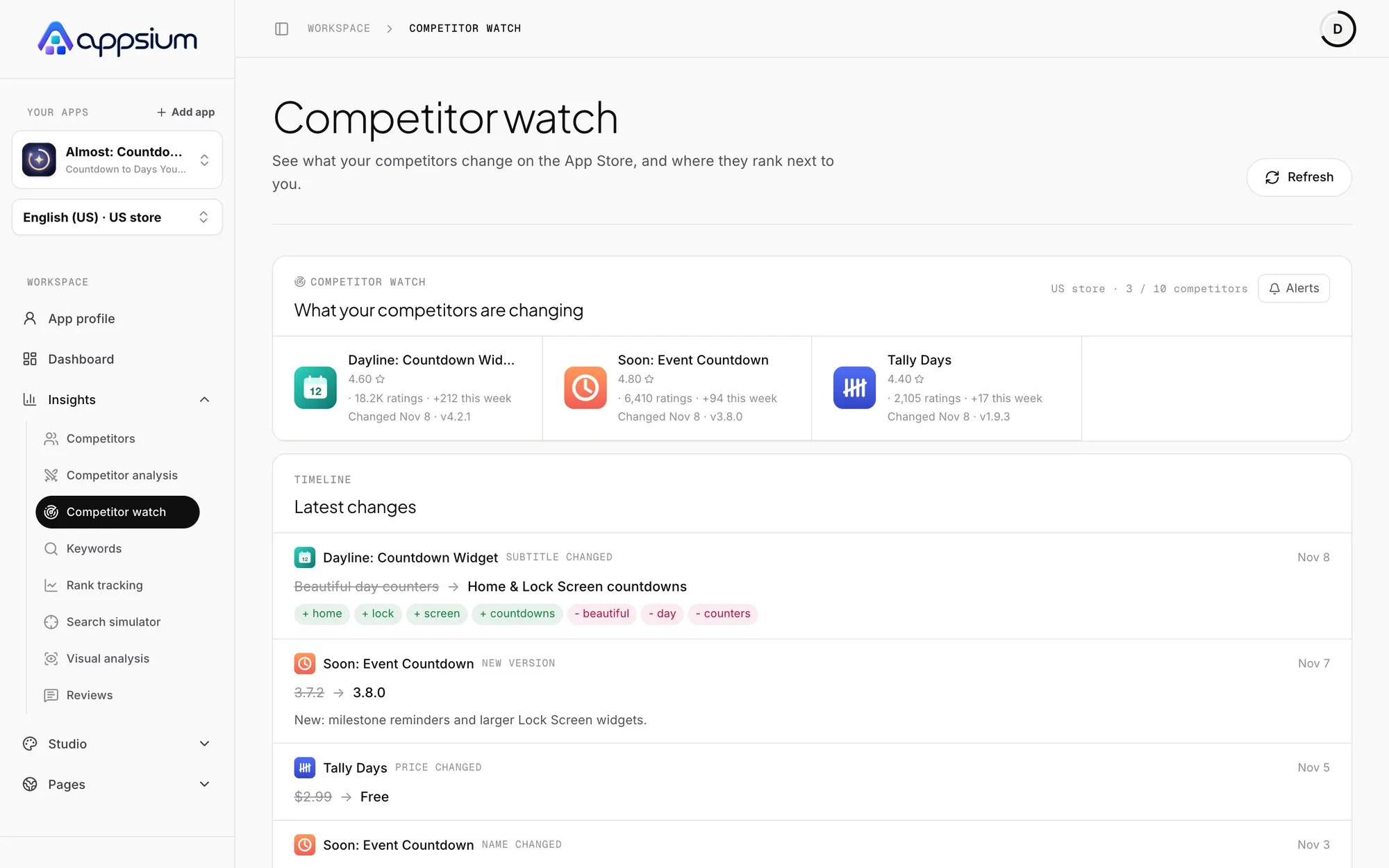
Competitor analysis
Daily changes to rival store pages, their ranks next to yours, and an AI read of how to beat them.
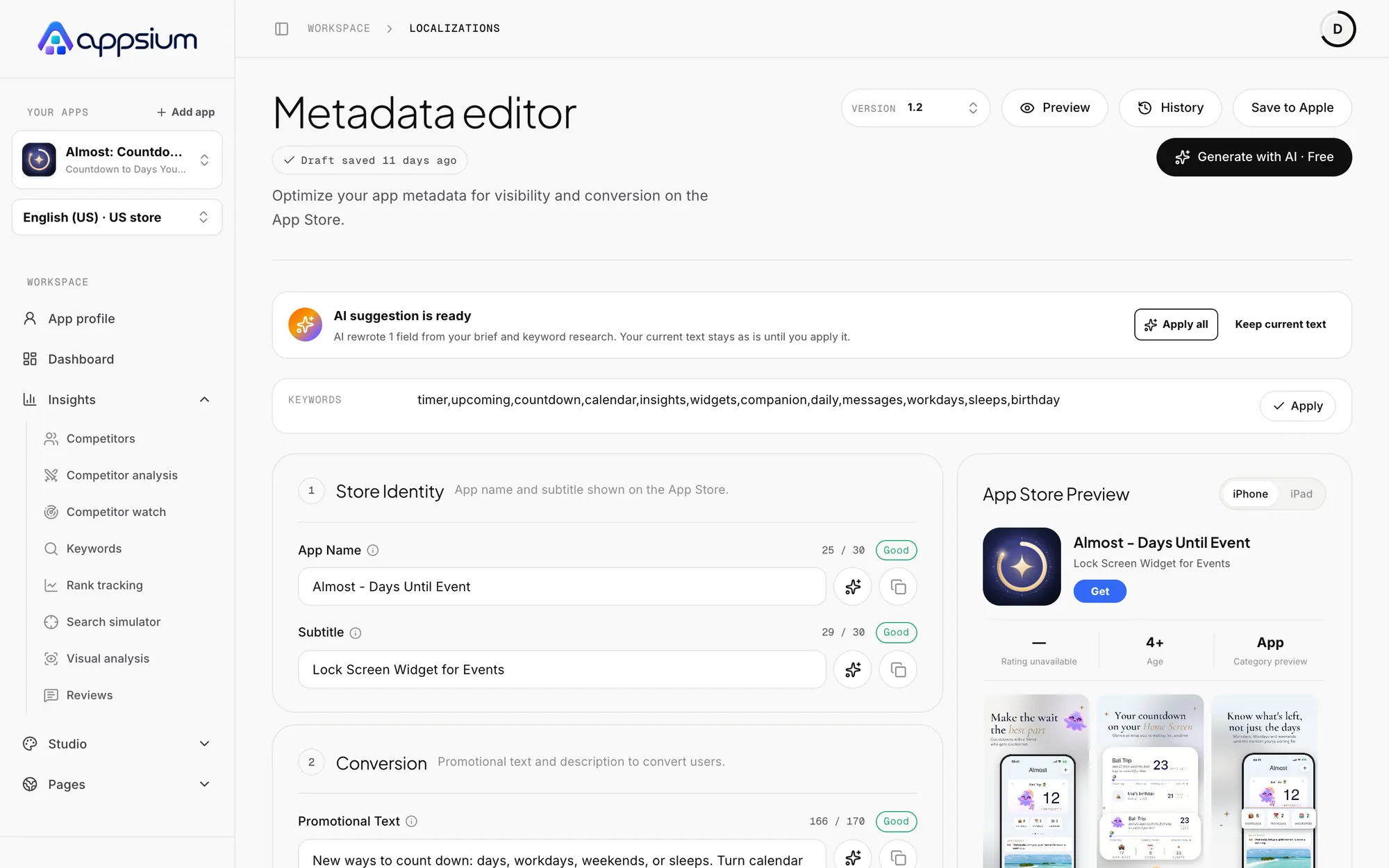
Metadata and localization
Title, subtitle, keywords, promo text and description per language, always inside Apple's limits.

Rank tracking
Daily App Store positions for your keywords in the top 200, with 30 days of history.
Learn the craft

The ASO checklist for launching an iOS app
A step-by-step ASO checklist for launching an iOS app: keyword research, metadata, screenshots, previews, localization, ratings, In-App Events and post-launch tests.

App Store Optimization (ASO): the complete guide for iOS developers
Learn how App Store search ranks apps, which metadata fields matter, how ratings and screenshots drive conversion, and a 30-day ASO plan for your iOS app.

App Store localization: rank in more countries
Localize App Store metadata and screenshots to rank and convert in more storefronts: which locales each country uses, keyword strategy and a workflow.