Find the keywords people actually type into the App Store
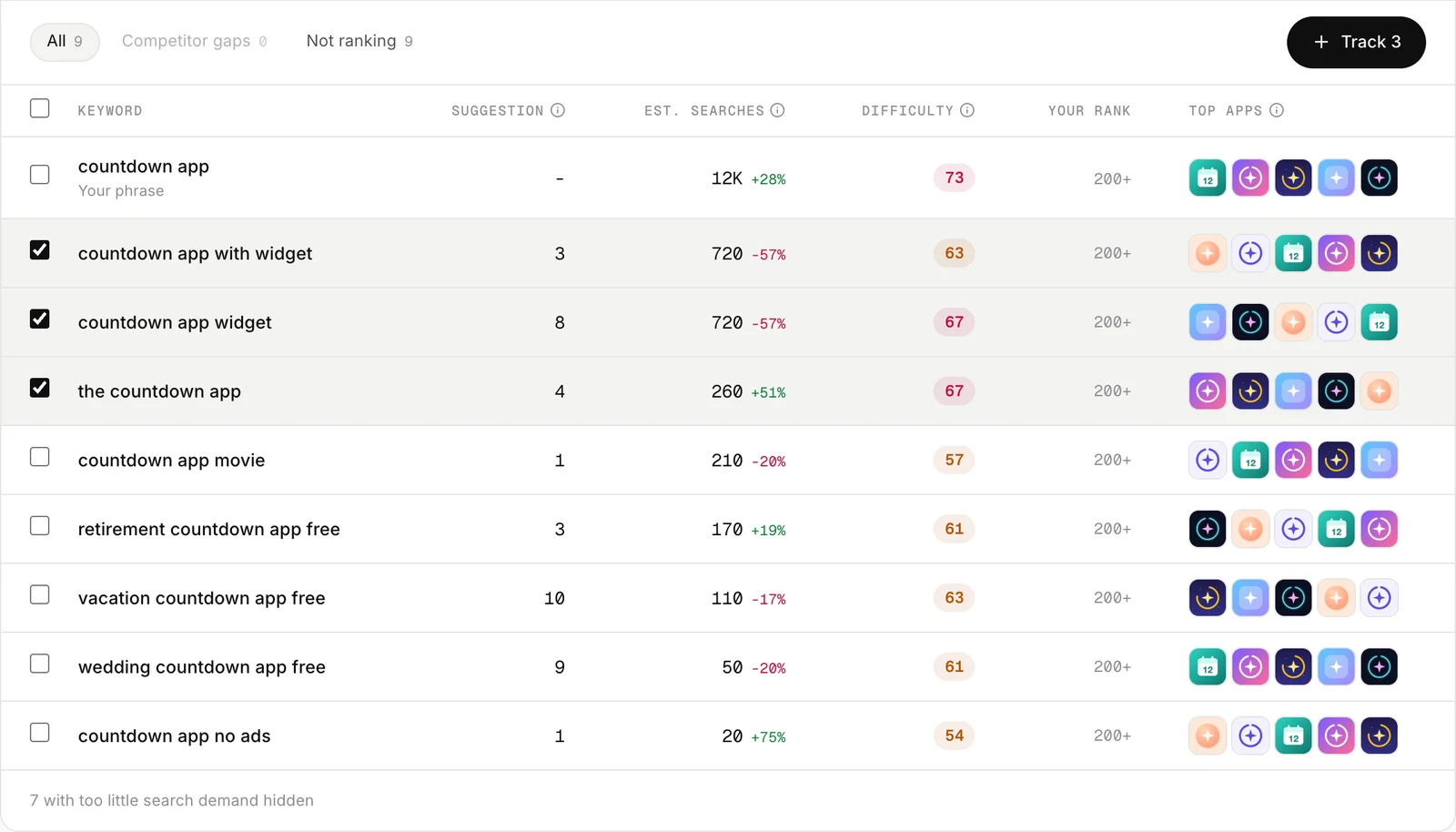
Start from one phrase. Appsium walks App Store autocomplete the way people type, letter by letter, and scores every suggestion with search demand, difficulty, where your app ranks and who holds the top spots.

Every suggestion, scored
Each keyword shows where Apple places it in the suggestions, its estimated monthly searches and trend, a difficulty score from today's top ten apps, your rank in the top 200 and the apps that hold the first spots. Low-demand suggestions are tucked away so the list stays useful.
- Suggestion position, demand and trend
- Difficulty from today's top results
- Your rank and the top apps for each keyword
Start from your brief, track in one click
Your app brief suggests the phrases to start from. Filter to competitor gaps, the keywords your rivals rank for and you don't, or to keywords where you are not ranking yet, then send a selection straight to daily rank tracking.
- Starting phrases from your app brief
- Competitor gaps and not ranking filters
- Bulk track into rank tracking

Frequently asked questions
Where do the keywords come from?
From App Store search autocomplete in the storefront you pick: the suggestions Apple shows under the search field as someone types. Appsium also walks the alphabet after your phrase, so you see what people type next.
What do the search numbers mean?
An estimate of monthly searches for the phrase, with its trend. Use it to compare keywords with each other. Apple does not publish exact App Store search volumes.
How many discoveries can I run?
3 a day on Free, 30 on Pro and 100 on Studio. Discoveries do not use credits.
Is there a free version?
Yes. The free keyword discovery tool shows the top five suggestions for any phrase and storefront without an account.
Find the searches your app is missing.
Run your first discoveries free, every day.
Works with
Keyword research
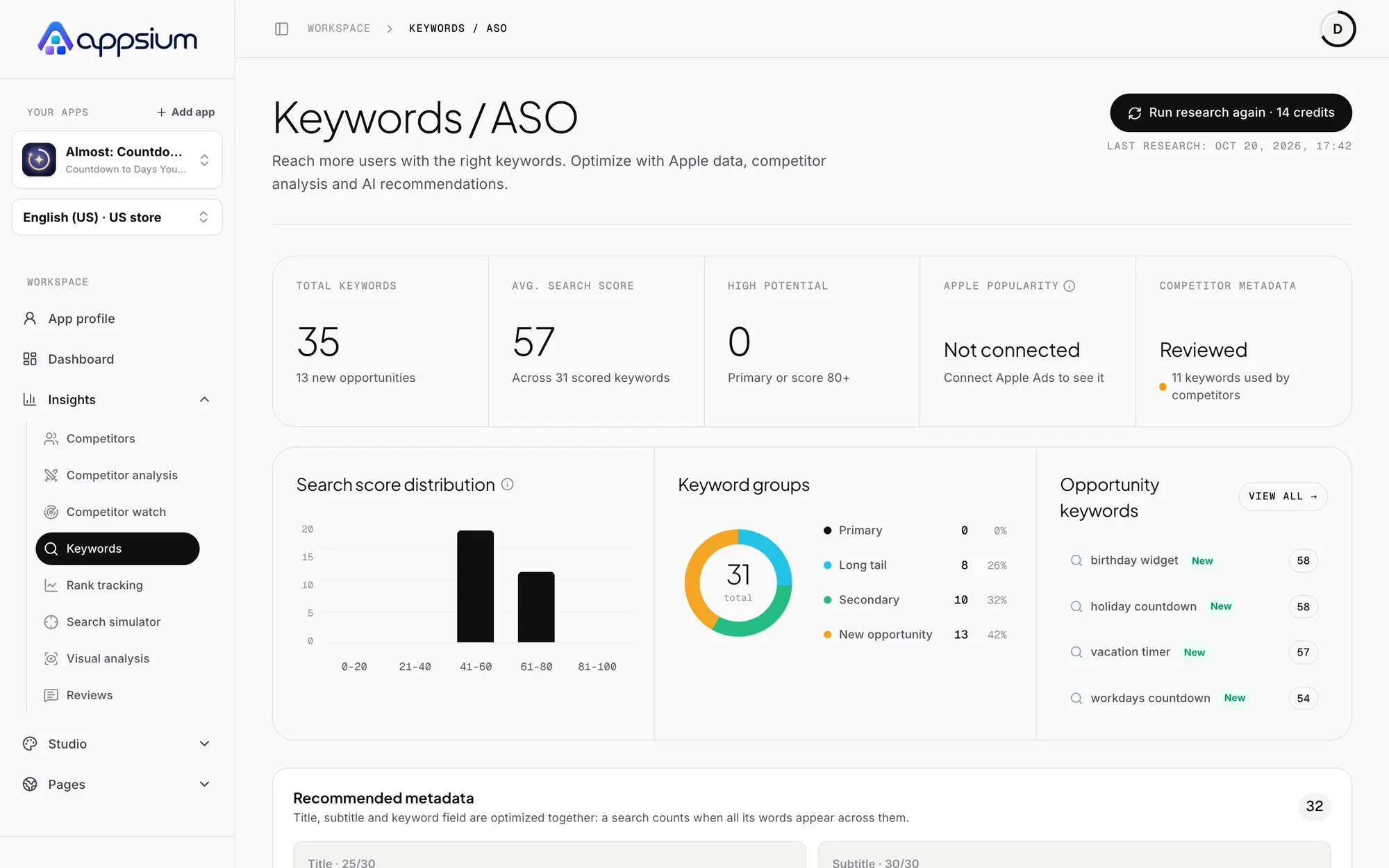
Search demand, difficulty and relevance for every keyword, turned into a title, subtitle and keyword field.

Rank tracking
Daily App Store positions for your keywords in the top 200, with 30 days of history.
Metadata and localization
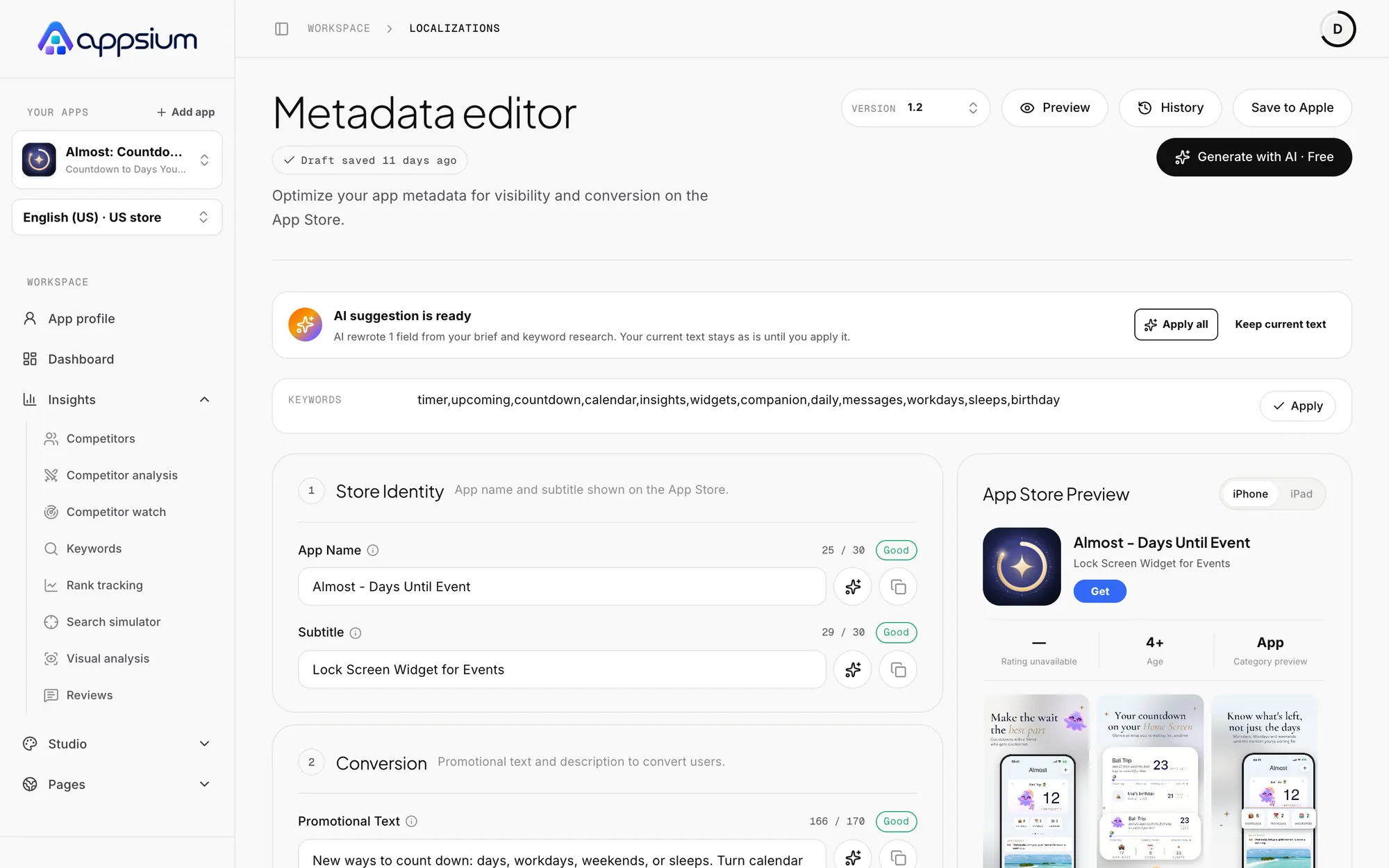
Title, subtitle, keywords, promo text and description per language, always inside Apple's limits.
Learn the craft

How to use the App Store keyword field (all 100 characters of it)
Format, rules and strategy for the App Store keyword field: commas without spaces, plurals, no repeats, no trademarks, and how words combine across fields.

How to write an App Store title and subtitle that rank and convert
Write a 30-character App Store name and subtitle that rank and convert: the brand + keyword pattern, examples by category and the mistakes that cost downloads.

App Store Optimization (ASO): the complete guide for iOS developers
Learn how App Store search ranks apps, which metadata fields matter, how ratings and screenshots drive conversion, and a 30-day ASO plan for your iOS app.