Apple Ads that know where you already rank
Apple Ads and ASO fight over the same searches, but every tool shows them apart. Appsium puts your organic rank next to every keyword you pay for, so you stop buying installs you'd get anyway, and sends the terms that convert in ads back into your metadata.

Stop paying for installs you'd get anyway
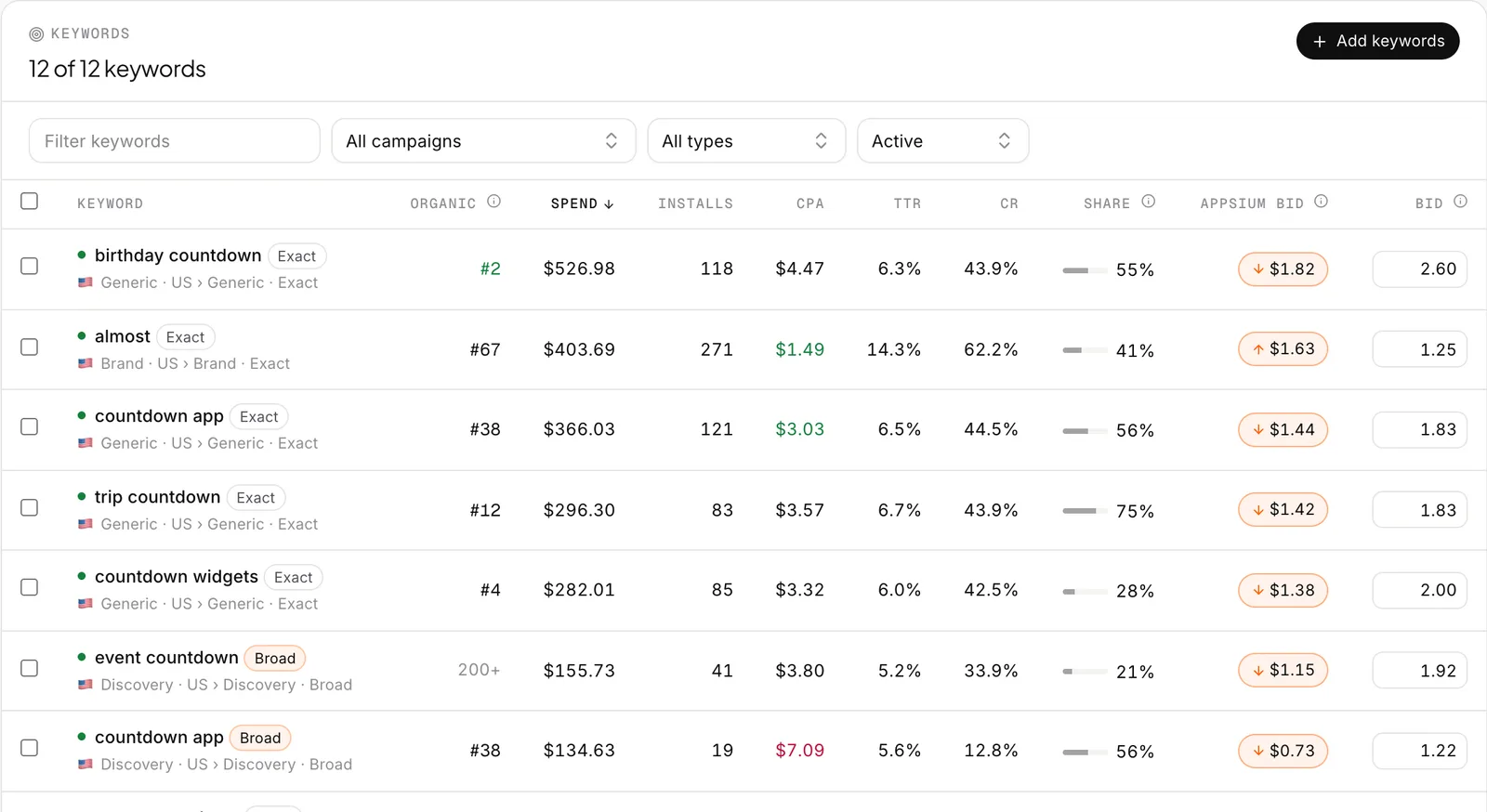
Each keyword shows what it costs and brings next to where your app already ranks in App Store search for it. When you're #2 organically and still paying full price, Appsium suggests a lower bid or a pause test. Its own bid suggestion for every keyword comes from your target CPA and conversion rate, one click to review and apply.
- Organic rank checked daily for the keywords you spend most on
- CPA colored against your target, impression share at a glance
- Appsium bid suggestions with the reason behind each one
Negatives you don't have to type
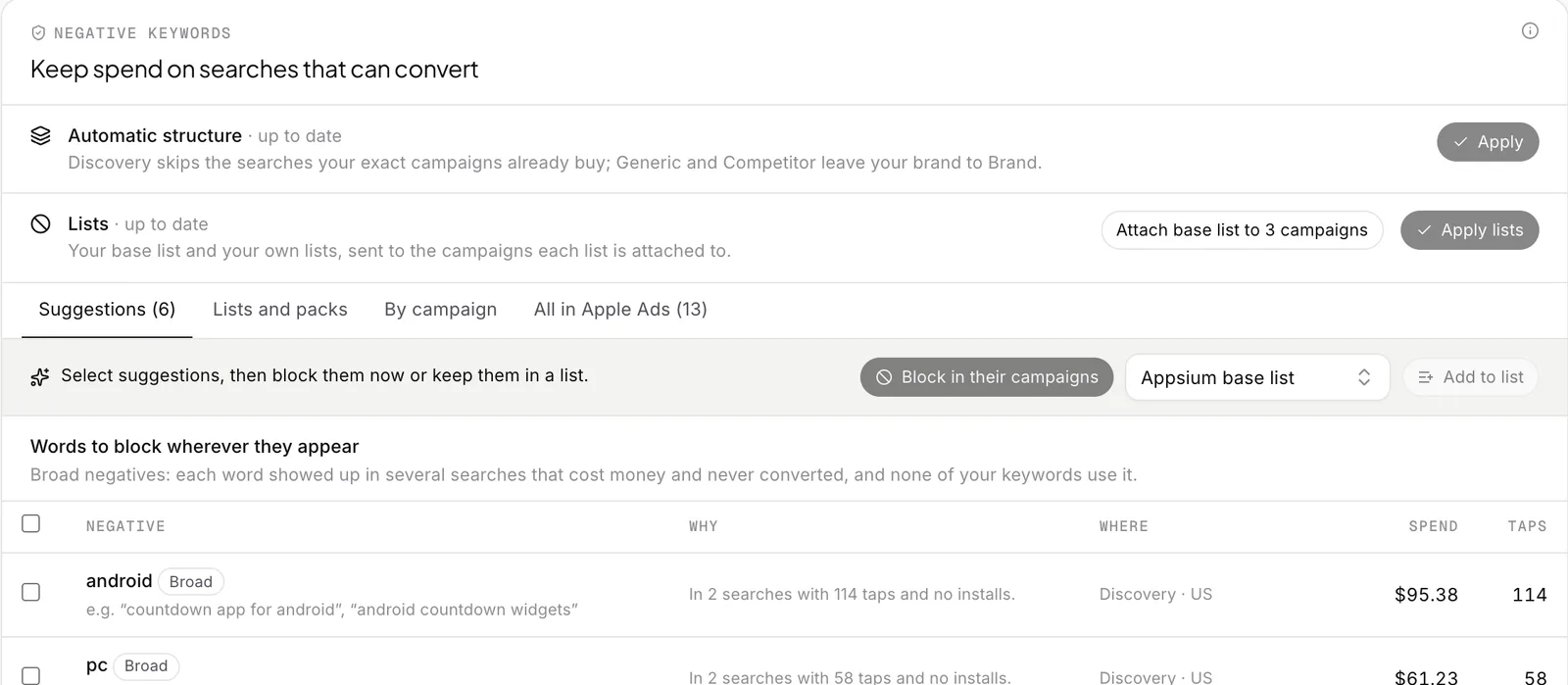
The structure negatives are added for you: Discovery skips what your exact campaigns already buy, and brand searches stay in Brand. Ready-made packs block piracy, other platforms and support searches in each market's language. Words that keep costing money without installs are found in your search terms and suggested as negatives.
- Base list per app plus your own lists, attached to the campaigns you pick
- Suggestions from real search terms, broad for words and exact for single searches
- Conflict checks so a negative never blocks your own keyword
Launch a clean structure in every market
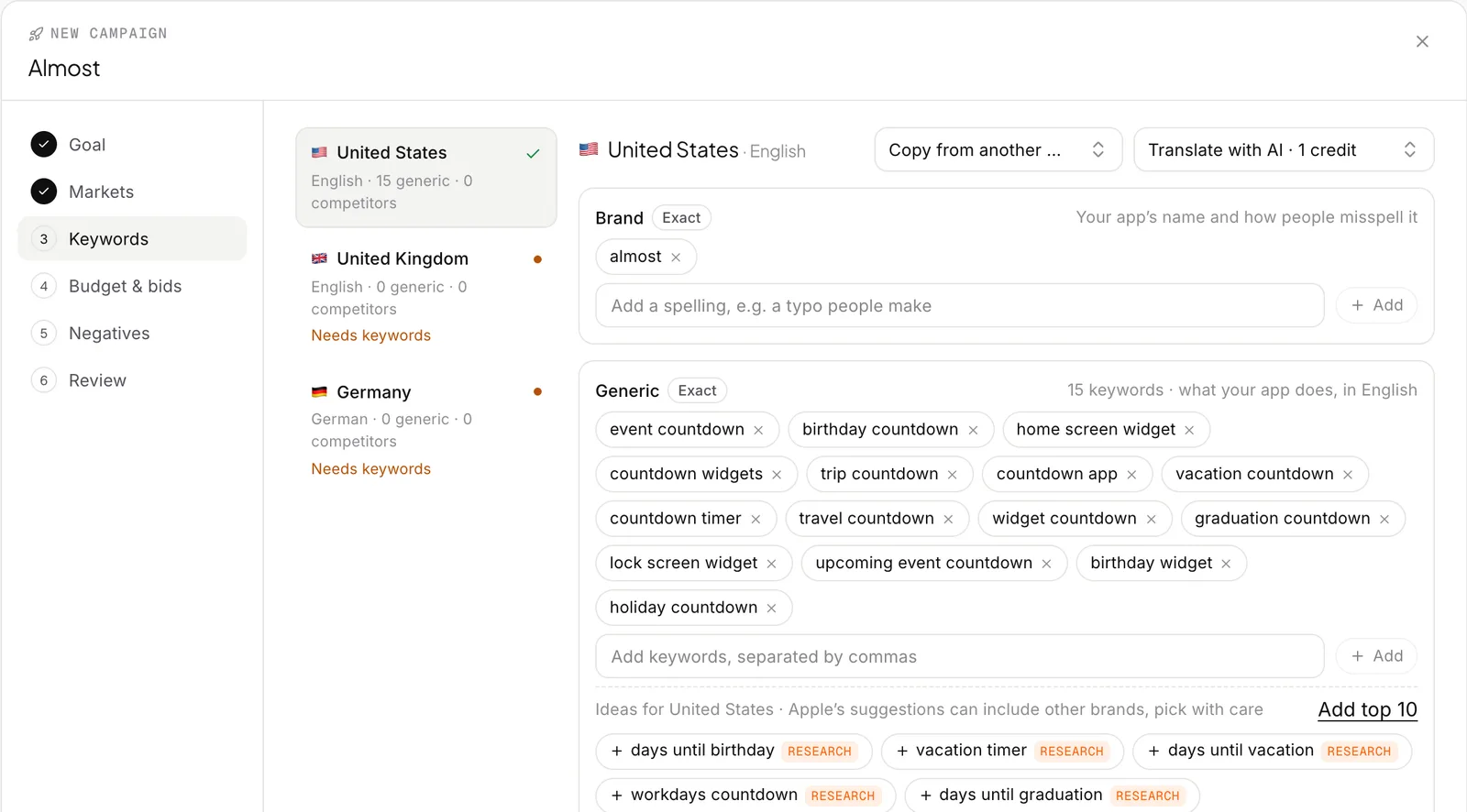
Pick your markets and the wizard builds Brand, Generic, Competitor and Discovery campaigns for each, with keywords from that market's research, rank tracking and Apple's suggestions, in its own language. No data for a market yet? Translate another market's list with AI. You see every campaign, keyword and negative before anything is created, and it starts paused unless you say go.
- Keywords and competitor ideas per market and language
- Search results, Search tab, Today tab and product page placements
- Nothing half-built: if Apple rejects a step, the run is rolled back
Frequently asked questions
Which Apple Ads accounts does it work with?
Apple Ads Advanced accounts, through Apple's Apple Ads Platform API. Apple Ads Basic runs on its own and has no campaigns, keywords or reports to manage, so Basic accounts are shown but can't be linked.
How do I connect Apple Ads?
Appsium creates a key pair and shows you only the public key. An admin gives an API user a role in Apple Ads, that user pastes the public key under Account Settings › API and copies three IDs back into Appsium. The step-by-step guide takes about two minutes.
Can Appsium change my campaigns on its own?
No. Every bid, status, budget, keyword and negative change is shown first and only goes to Apple Ads when you apply it. Each one is logged with the value before it, so you can undo it from the Changes page. A read-only API role works for reports and suggestions without any changes.
Where does the organic rank come from?
From App Store search, checked once a day for the keywords you spend the most on and for any keyword you follow in rank tracking, in the campaign's country.
Can rules manage bids for me?
Yes. A rule checks keywords or search terms after every sync, for example organic rank in the top 3, CPA 50% over target, or spend without installs, and then lowers or raises bids, pauses keywords, blocks search terms or harvests them as exact keywords. Each rule either waits for your OK or applies on its own, with bid limits and a cooldown, and every change it makes can be undone.
Can I see ROAS without RevenueCat?
Yes. Without RevenueCat, Appsium estimates revenue from App Store Connect: in each country, the proceeds from App Store search times the share of search downloads that came from ads. With RevenueCat connected, every purchase arrives with the campaign and keyword that brought the customer, so ROAS per keyword is real.
Will I get a weekly summary?
On Pro and Studio, once a week: spend, installs and CPA against the week before, the searches that cost money without installs, what your rules did and what's waiting. Turn it off any time in Settings › Notifications.
Which plan do I need?
On Free you connect Apple Ads and see your results: spend, installs, CPA, campaigns, keywords with organic rank and search terms. Managing them from Appsium is part of Pro and Studio: applying changes, Appsium bids, opportunities, rules, search term harvesting, negative lists, the campaign wizard and the weekly email.
Does it cost credits?
No. Apple Ads is included in your plan. Only translating a keyword list into another market's language with AI uses 1 credit.
Make your ads and your ASO work together.
Connect Apple Ads and see where you're paying for searches you already win.
Works with

Rank tracking
Daily App Store positions for your keywords in the top 200, with 30 days of history.
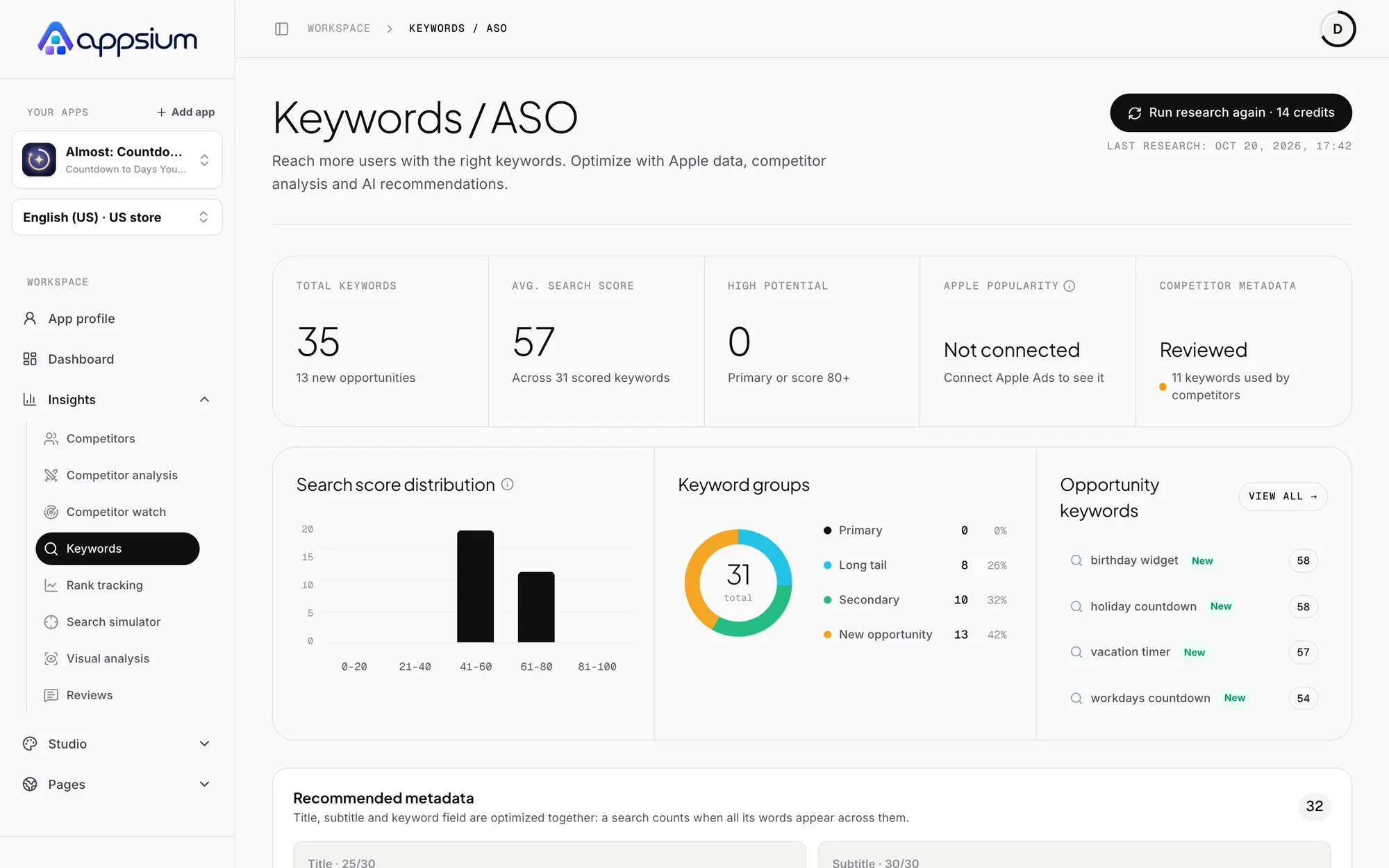
Keyword research
Search demand, difficulty and relevance for every keyword, turned into a title, subtitle and keyword field.
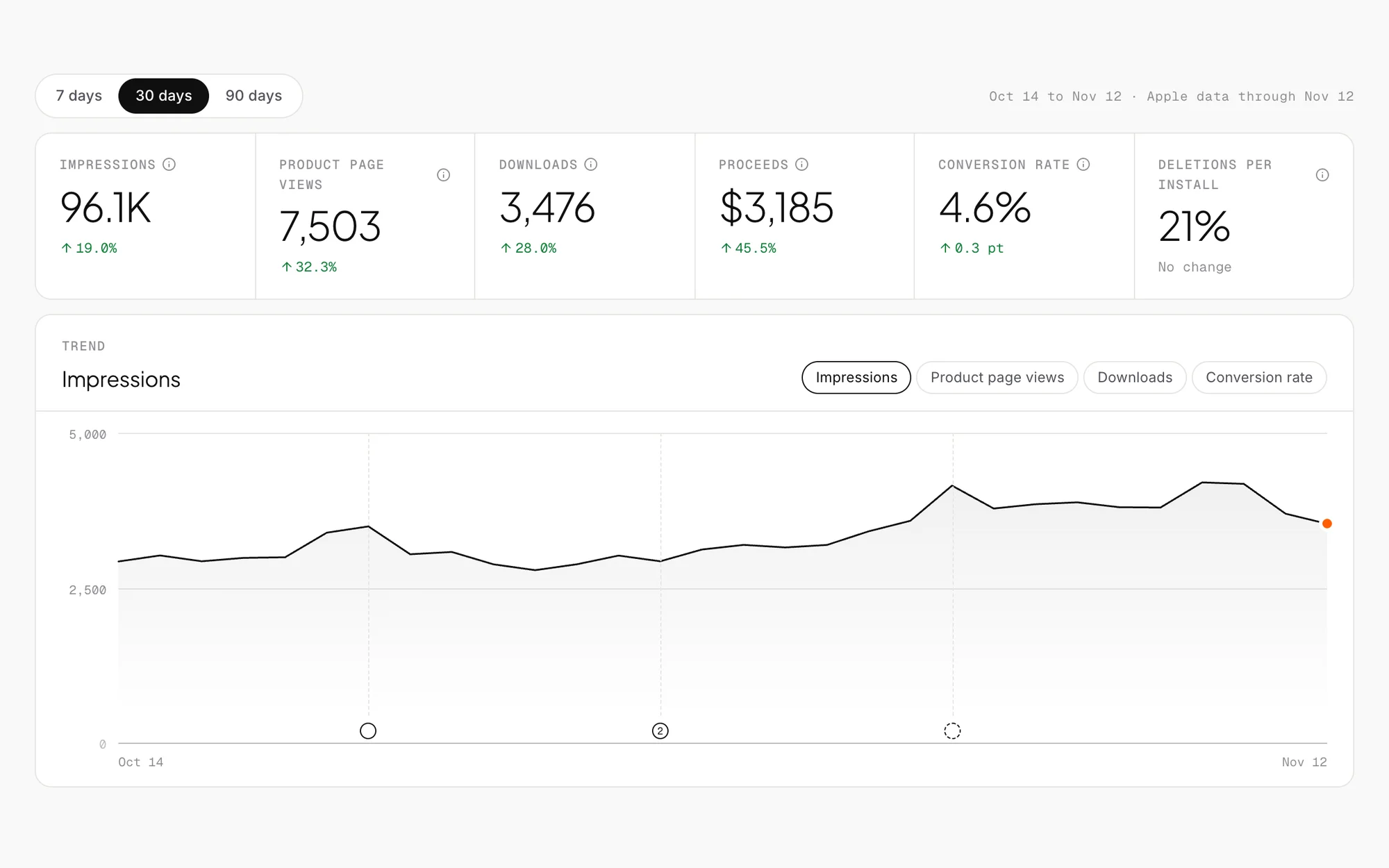
App analytics
Impressions, conversion and proceeds by source and country, with what every change did.
Learn the craft
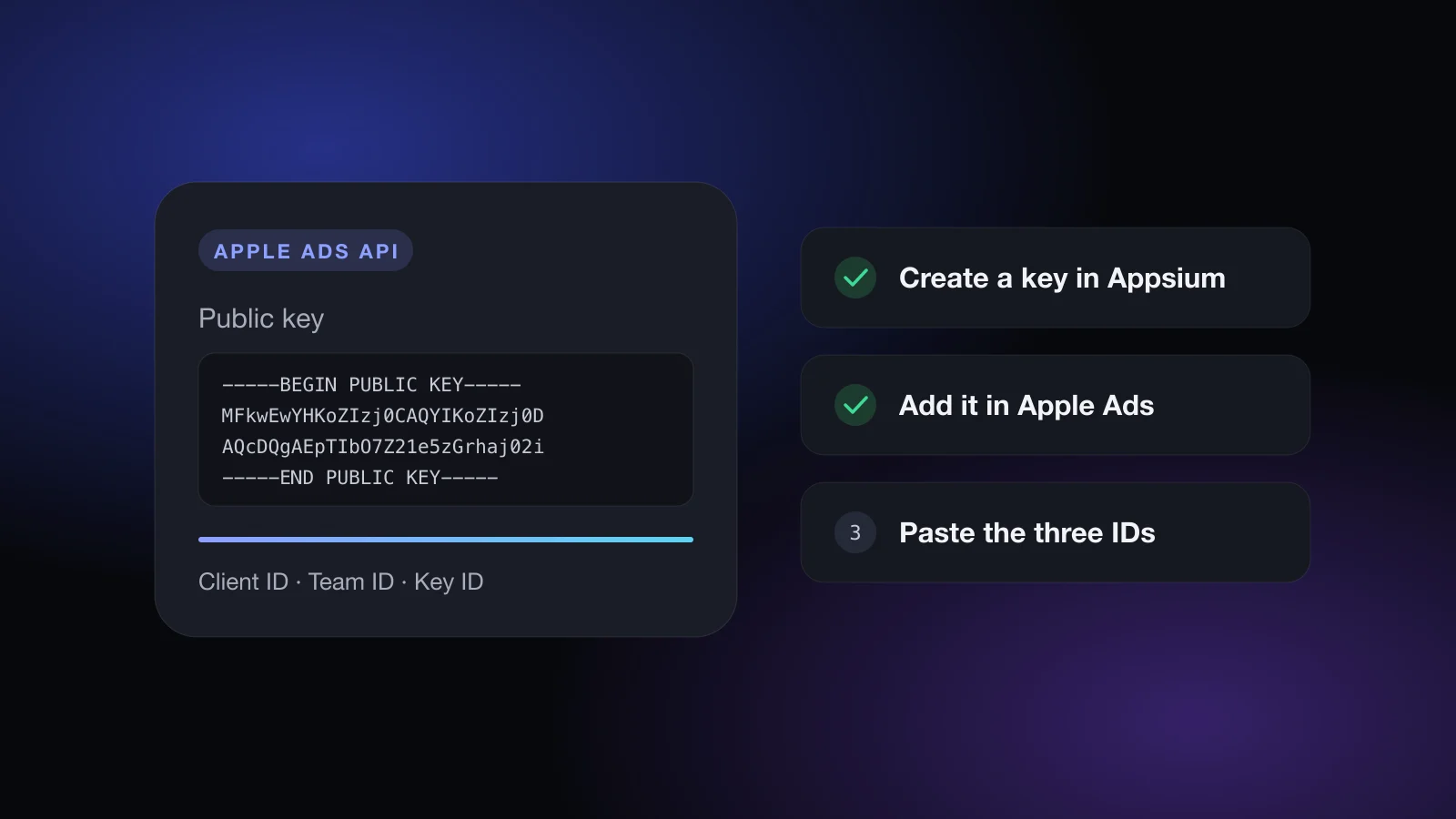
How to connect Apple Ads to Appsium
Give Appsium access to your Apple Ads account in about two minutes: create an API user with the right role, paste the public key under Account Settings › API, and copy the client, team and key IDs back. With fixes for the common snags.

How to use the App Store keyword field (all 100 characters of it)
Format, rules and strategy for the App Store keyword field: commas without spaces, plurals, no repeats, no trademarks, and how words combine across fields.

App Store Optimization (ASO): the complete guide for iOS developers
Learn how App Store search ranks apps, which metadata fields matter, how ratings and screenshots drive conversion, and a 30-day ASO plan for your iOS app.